
Corporate card reconciliation
Corporate Card Reconciliation with Receipts
For finance teams reconciling corporate card statements. Upload the statement and receipts, let FinSnap match them, review flagged gaps, and export a clean ledger.
Upload a statementCurrent workflow
Manual corporate card reconciliation slows close.
The work is usually simple, but the evidence is scattered.
- Corporate card statements and receipts live in separate systems.
- Reviewers compare dates, vendors, and totals by hand.
- Missing or mismatched receipts are tracked outside the ledger.
- Exports need cleanup before accounting can use them.
Receipt tax detail matters later in expense and sales tax evidence, and the clean ledger feeds month-end review.
How FinSnap works
Upload, match, resolve, and export.
FinSnap turns statement review into a short sequence with clear handoffs.
- 1
Upload statement
Upload the card statement for the period you want to reconcile.
- 2
Upload receipts
Add receipt PDFs, scans, and photos in the same workspace.
- 3
Automatic matching
FinSnap matches receipts to transactions using vendor, date, amount, and receipt evidence.
- 4
Flagged exceptions
Missing, duplicate, and low-confidence items stay visible for review.
- 5
Export results
Export a reconciled ledger with linked receipt support.
Product visual
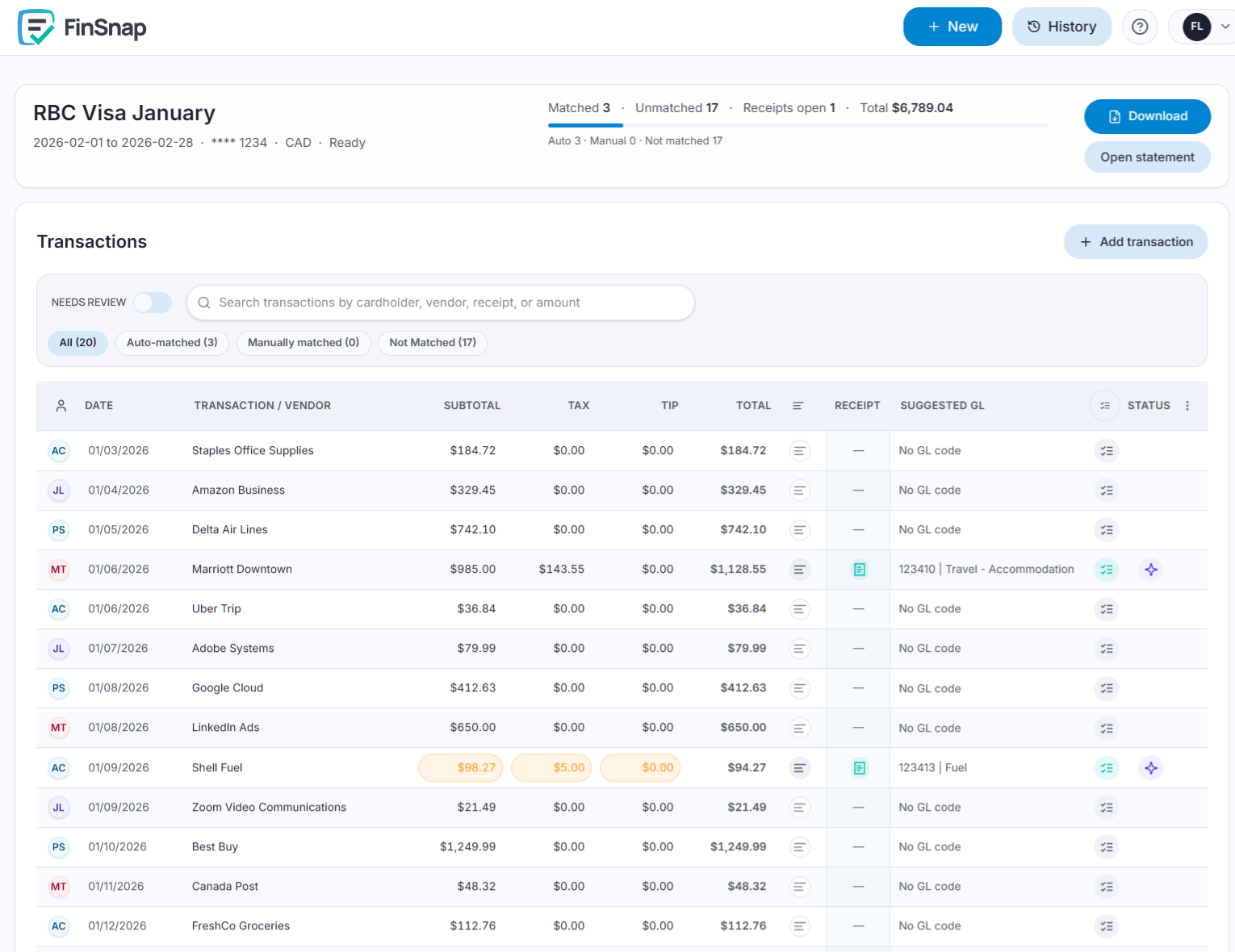
Matched receipts beside the ledger
Reviewers see statement rows, receipt evidence, and match status in one place.
What you get
A ledger that is ready for accounting review
The result is a concrete close artifact, not another dashboard to interpret.
Matched transactions
Receipt matches stay attached to each corporate card transaction.
Confidence indicators
Reviewers can see which matches are ready and which need judgment.
Flagged gaps
Missing receipts, duplicates, and amount differences remain visible until resolved.
Clean ledger export
The final file keeps transaction, receipt, note, and coding context together.
Example scenario
A concrete review outcome
When complete, your team has a final record of items and supporting backup, ready for upload to your system and for future audit backup.
“61 transactions. 57 matched automatically. 4 flagged for review.”The reviewer works the four exceptions before exporting the ledger.
Next step
Upload a statement and receipts
Start with one card period and move from matching to review to export.