
Reconcile corporate card
statements in minutes.
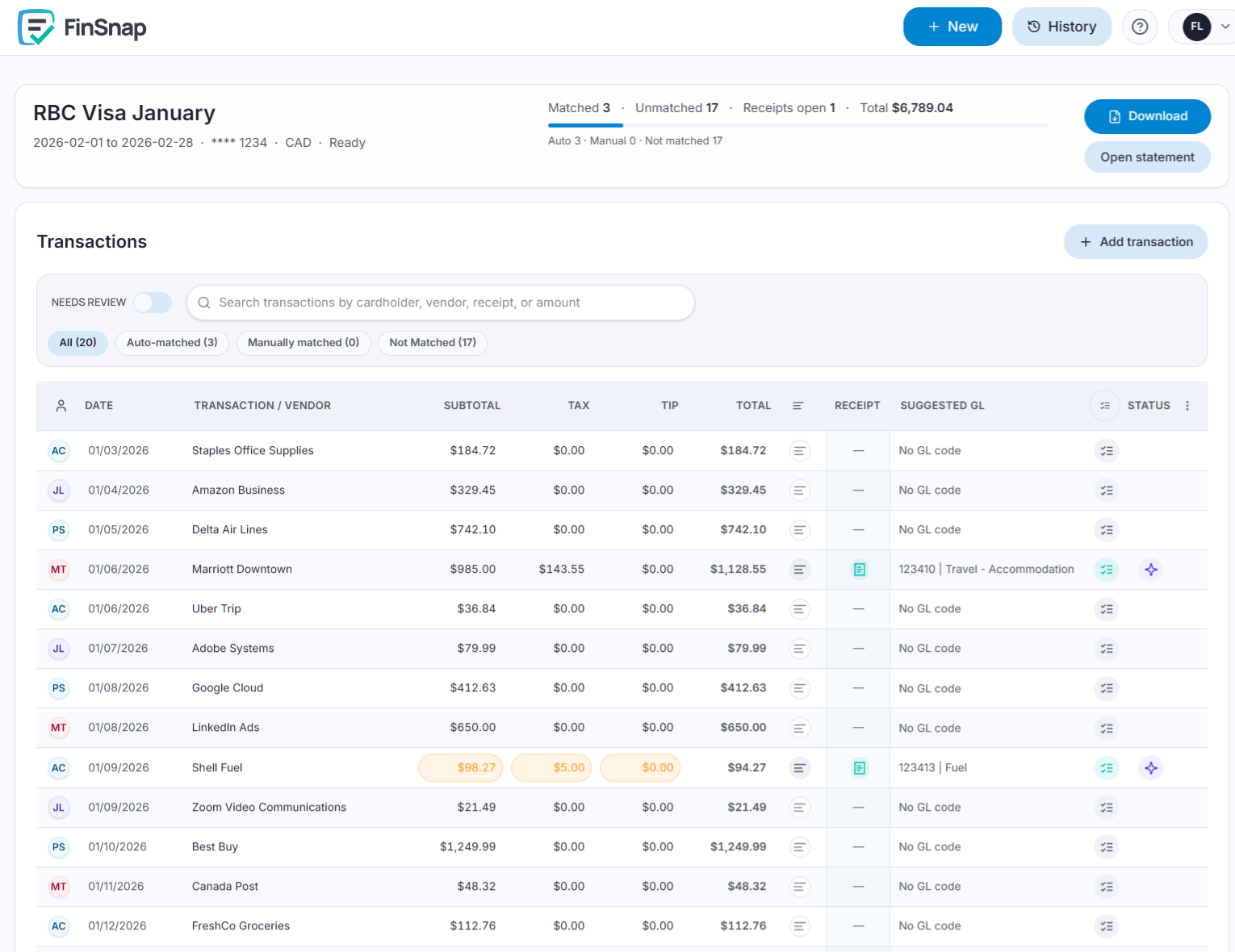
Upload your statement and receipts. FinSnap matches transactions, applies tax and GL coding, and you review the exceptions.
Import
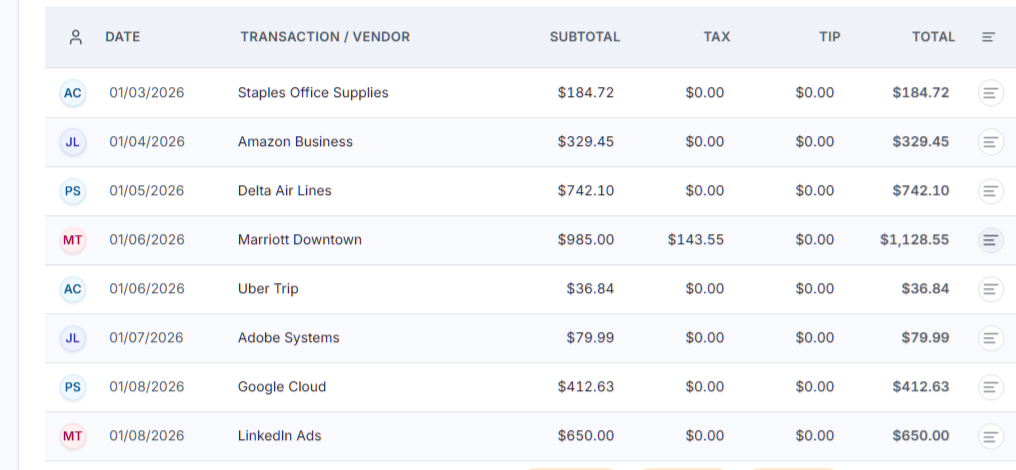
Upload a credit card transaction file to start a reconciliation session.
Match
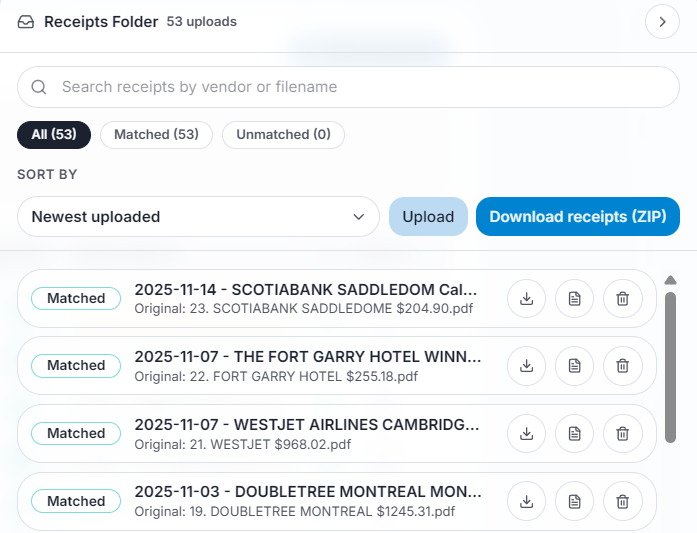
Bulk-upload receipts - FinSnap reads, codes and extracts tax line-by-line.
Review
Keep low-confidence and missing-receipt items in a focused exception queue.
Export
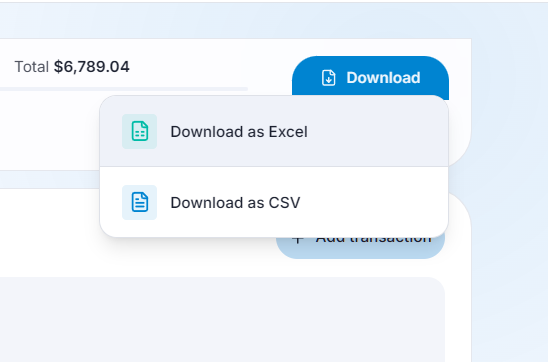
Deliver GL coding, tax detail, and linked receipt filenames in one file.
Replace manual reconciliationwith an exception-based workflow
Reconcile hundreds of receipts in a few minutes. Most transactions are handled automatically. You review only the items that need attention.
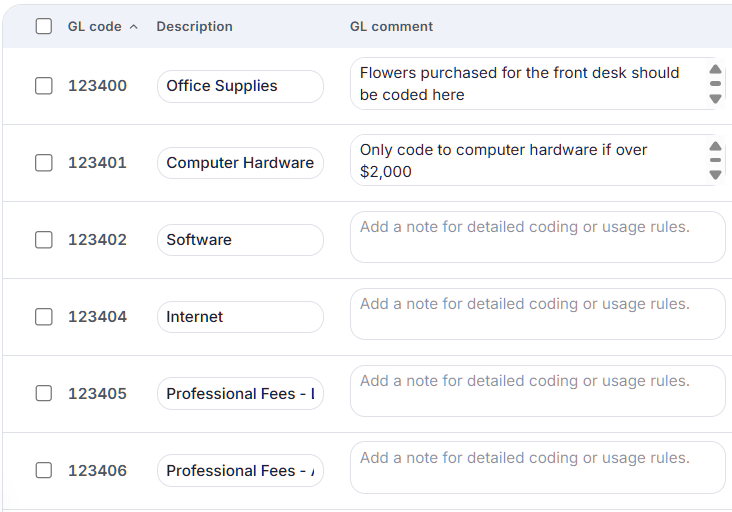
FinSnap applies your rules and adapts to your decisions over time.



Give every reviewer one shared workspace with full context
Finance teams can split workloads, review each other's changes, and keep transaction history, receipts, notes, and coding in a single cycle.
Open shared review workspaceCapture coding and tax support
Keep GL, tax, and supporting receipt evidence attached to every transaction so closing and audit prep are straightforward.
FinSnap auto-prepares
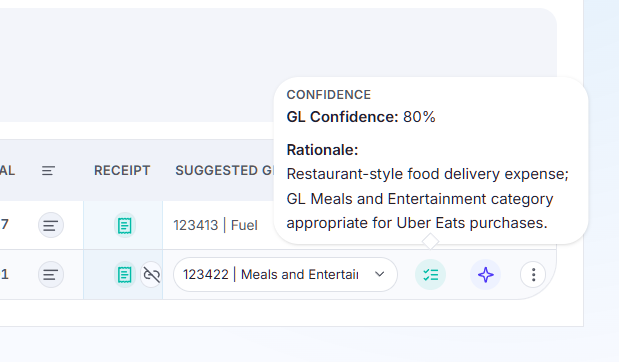
- GL codes based on transaction context and business rules
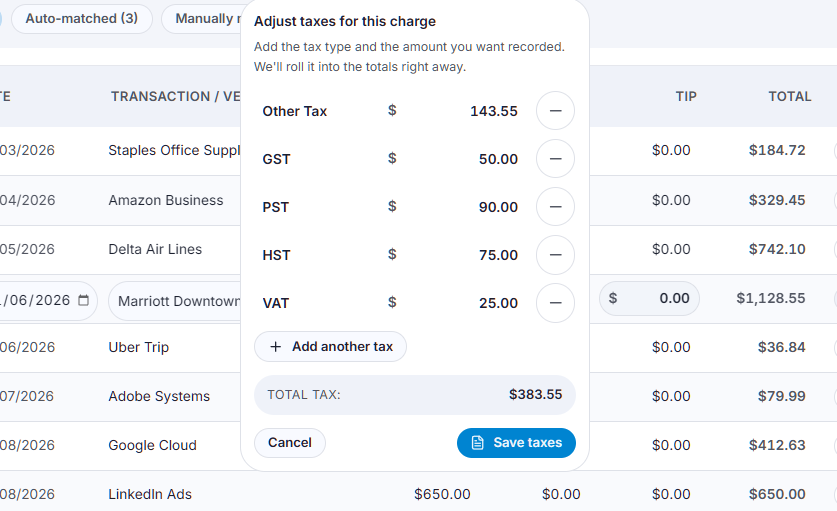
- Tax amount and tax code fields
- Standard receipt naming and linkage
- Exception status and reviewer notes
- Complete export-ready ledger
- Renamed and organized receipts for future reference

Move from uploads to export in one controlled workflow
Import transactions, match receipts, review exceptions, then export a clean ledger with receipt links and tax support.
1
Import
Upload your statement file to open a month-end reconciliation session.
2
Match
Drop receipts in bulk while FinSnap suggests matches and flags uncertain links for review.
3
Review
Focus reviewers on low-confidence or missing-receipt items before final export.
4
Export
Send Excel or CSV output with GL coding, tax detail, and linked receipt filenames for audit support.
Finance Team FAQ
How quickly can we complete a monthly card reconciliation?
Most teams move from line-by-line checking to exception-first review. FinSnap handles matching and coding prep, so reviewers focus only on flagged items. Complete hundreds of line items in an hour.
Can we keep tax detail tied to each transaction?
Yes. Tax fields stay connected to each receipt and transaction from upload through export, so your refundable tax support is ready when needed. Multiple tax types are handled so you can properly file for refundable taxes in your jurisdiction.
How do we move the final data into accounting?
Export to Excel or CSV with GL codes, tax detail, reviewer notes, and linked receipt filenames so your downstream accounting workflow stays intact.
What if we still have missing receipts before close?
Unmatched or missing-receipt items remain visible in the exception queue, so your team can follow up without losing progress on completed transactions.
Can multiple reviewers work in the same close cycle?
Yes. Multiple people can work in the same session, review each other's updates, and keep a shared audit trail of what was changed and why.
Is this suitable for audit preparation?
Yes. FinSnap keeps every receipt linked to the reconciled transaction and export row, so support packages are easier to assemble and defend. Keep your transactions, rationales and organized receipts all in one place offline if you prefer!